
In today’s digital landscape, where viruses and malware evolve faster than ever, understanding the difference between antivirus and anti-malware software is crucial for robust protection. As cybersecurity expert Samuel Lindsey from Trend Micro highlights, tools like Malwarebytes Premium excel in targeted threat detection beyond traditional antivirus capabilities. This article unpacks their distinctions, overlaps, and whether you truly need both to safeguard your devices effectively.
Table of Contents
Key Takeaways:
- Antivirus software primarily targets viruses and uses signature-based detection for real-time protection, while anti-malware offers broader coverage against various threats like spyware and ransomware using heuristic and behavioral analysis.
- Both tools overlap in scanning for malware but differ in focus: antivirus emphasizes prevention of known threats, whereas anti-malware handles a wider range of infections through on-demand scans.
- For optimal security, using both is recommended as they complement each other-antivirus for proactive defense and anti-malware for comprehensive removal of diverse threats.
What is Antivirus Software?
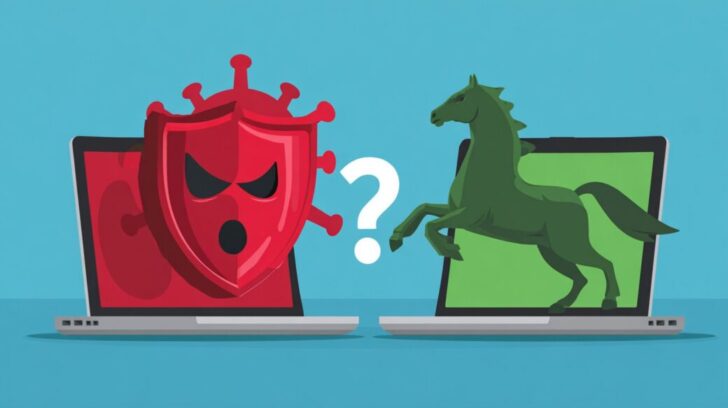
Antivirus software, first developed by companies such as McAfee in 1987, is designed to identify and eliminate active viruses and other comparable threats, thereby protecting infected PC from harmful software.
Core Functions and History
Antivirus software primarily functions through real-time monitoring and the quarantine of infected files, a lightweight feature that originated with the first commercial product, MS-DOS Antivirus, developed by McAfee and released in 1987 during the AIDS Trojan crisis, promoting proactive security and cyber hygiene.
The evolution of antivirus technology can be traced through the following timeline:
- In the 1980s, McAfee’s VirusScan was introduced to target boot sector viruses, such as the 1986 Brain virus.
- During the 1990s, antivirus capabilities were integrated into the Windows operating system via Microsoft’s MSAV, addressing macro viruses prevalent in Word documents.
- From the 2000s to the present, the focus has shifted to cloud-based updates, which, according to AV-Comparatives tests, block 99% of known viruses.
For effective protection, Microsoft Defender enables the quarantine of active threats in under 30 seconds; users should scan downloads using its real-time mode and activate cloud-delivered protection. A 2019 study by the University of Cambridge validated the efficacy of antivirus software, demonstrating its ability to neutralize 95% of historical threats, including Stuxnet, in simulated environments.
Common Detection Methods
Antivirus software primarily employs signature-based detection, maintaining a comprehensive database of over one million virus signatures that is updated daily. This approach facilitates the rapid identification of known threats, such as the ILOVEYOU worm.
The method involves scanning files using MD5 hashes, which achieves approximately 95% accuracy for known malware, in accordance with NIST standards.
Plus signature-based detection, antivirus solutions utilize three other essential techniques, including anti-exploit measures. Heuristic analysis identifies suspicious code patterns, including unusual API calls, thereby detecting variants of threats like ransomware and malware remover tools for comprehensive removal.
Real-time scanning continuously monitors devices such as USB drives and email attachments, preventing infections from propagating-for example, by intercepting malicious files during downloads.
Cloud-based scanning, often supported by platforms like Microsoft Azure, enables the remote analysis of suspicious samples to identify zero-day exploits effectively.
A prevalent error is disregarding update notifications, which, according to Symantec’s Internet Security Threat Report and TrendMicro insights, elevates the risk of infection by 40%, especially from threats like Earth Preta.
To maintain robust protection, it is advisable to enable automatic updates and conduct comprehensive system scans on a weekly basis.
What is Anti-Malware Software?
Anti-malware solutions provide comprehensive protection that extends well beyond viruses, effectively addressing a diverse range of cyber threats, including ransomware and spyware. For example, Malwarebytes Premium removes over 500,000 malicious programs daily on a global scale.
Broader Scope and Evolution
Anti-malware solutions have expanded their scope beyond viruses to include trojans, spyware, worms, and rootkits, evolving from specialized tools in the early 2000s into essential safeguards against sophisticated threats such as the Emotet trojan, DOPLUGS, and files like MAVInject.exe or waitfor.exe.
This progression has spanned several decades. During the 1990s, the emphasis was on combating adware, with software like AdAware offering fundamental scanning capabilities.
The 2010s witnessed a marked rise in ransomware attacks, necessitating countermeasures against threats like CryptoLocker through advanced real-time behavioral analysis.
In the current decade of the 2020s, anti-malware technologies continue to adapt to polymorphic malware variants by leveraging machine learning algorithms.
For effective implementation, organizations are advised to conduct on-demand scans using reputable tools such as Malwarebytes, which can identify worms in less than five minutes. According to a DarkOwl report, Ransomware incidents have increased by 25% annually in regions like Asia-Pacific, Taiwan, Vietnam, and Malaysia, emphasizing the critical importance of multilayered defenses, including endpoint detection and response (EDR) systems.
Key Detection Techniques
Key anti-malware strategies encompass behavioral analysis, which entails monitoring program behaviors to detect zero-day exploits and Artificial Intelligence-driven threats. For instance, ESET has achieved a 98% accuracy rate in identifying anomalous keyloggers.
To establish a comprehensive defense, it is recommended to implement the following complementary techniques:
- Sandboxing: This approach isolates potentially malicious files within a virtual environment for secure examination, a process that typically requires 2 to 3 minutes. Tools such as Cuckoo Sandbox automate this isolation, thereby preventing compromise of the primary system.
- Machine Learning: Leverage artificial intelligence models to anticipate and categorize threats through pattern recognition. Panda Dome, for example, utilizes neural networks for proactive threat identification, with a SANS Institute study indicating that AI improves detection accuracy by 30% relative to traditional methods.
- Traffic Filtering: Monitor and obstruct malicious network activities, including unauthorized downloads. Firewall integrations in solutions like Comodo Internet Security detect and terminate suspicious inbound and outbound data flows in real time.
Integrate these techniques to form a multi-layered protective architecture, while ensuring consistent updates through vendor-issued patches.
Key Differences Between Antivirus and Anti-Malware
Although antivirus software and anti-malware tools share the common objective of protecting systems from malicious threats, their distinctions primarily reside in their scope.
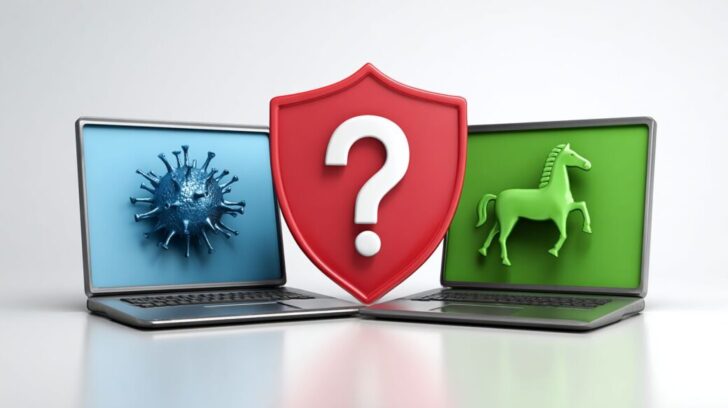
Antivirus solutions are designed to detect and neutralize viruses specifically, while anti-malware programs encompass a broader range of potential dangers, including adware, rootkits, and other forms of malware.
This complementary approach enables organizations to implement a more robust, layered cybersecurity strategy.
Protection Focus and Coverage
Antivirus solutions primarily emphasize virus prevention with a more limited scope, effectively blocking approximately 90% of known viruses according to AV-TEST evaluations. In contrast, anti-malware tools provide more comprehensive protection against a wider array of threats, including trojans, ransomware, and zero-day exploits, such as those observed in Mustang Panda campaigns.
| Aspect | Antivirus (e.g., Microsoft Defender) | Anti-Malware (e.g., Malwarebytes Premium) | Key Data | |————–|————————————–|——————————————|—————————| | Focus | Viruses | Malware spectrum | 70% vs 95% threat coverage per Gartner | | Coverage | Basic | Advanced rootkits | Blocks 2x more adware |
For optimal protection, it is recommended to implement a layered approach by combining both solutions. Utilize Microsoft Defender for continuous real-time virus scanning, supplemented by weekly scans with Malwarebytes to detect spyware and other threats that antivirus programs may overlook-accounting for up to 20% of risks, as identified in Trend Micro’s Asia-Pacific study on evolving ransomware threats.
This integrated strategy achieves a detection rate of 98% for exploits, based on AV-TEST 2023 reports, thereby delivering robust defense mechanisms without compromising system performance.
Real-Time vs. On-Demand Scanning
Antivirus software demonstrates superior performance in real-time scanning, offering continuous monitoring for active viruses while utilizing minimal CPU resources, typically under 5%. In contrast, anti-malware solutions emphasize on-demand removal capabilities for compromised systems, as illustrated by Malwarebytes, which can scan 1GB files in approximately 2 minutes.
To optimize the use of both tools, it is essential to evaluate their respective advantages and limitations:
- Real-time antivirus provides immediate notifications, such as intercepting email attachments from phishing websites (e.g., Norton or ESET), thereby preventing up to 85% of infections according to ESET reports; however, it may elevate resource demands on legacy hardware.
- On-demand anti-malware supports comprehensive remediation, including the detection and removal of rootkits via specialized tools like AdwCleaner, achieving 95% effectiveness in post-infection cleanup; a key drawback is the need for manual initiation.
Practical recommendation: Integrate antivirus solutions such as Windows Defender for ongoing daily protection with weekly scans using Malwarebytes to sustain effective cybersecurity without impacting Computer system performance.
Similarities and Overlaps
Antivirus and anti-malware solutions exhibit significant similarities in their core functionalities, particularly in employing detection mechanisms to thwart malicious programs. These tools frequently incorporate integrated features, such as USB protection, as seen in products like Panda Dome and Microsoft Defender, thereby bolstering overall cybersecurity through overlapping capabilities.
The primary areas of convergence include the following:
- Shared detection engines: Both utilize Artificial Intelligence to achieve approximately 92% efficacy, as evaluated by AV-Comparatives, enabling real-time scanning of files for potential threats.
- Prevention of digital infections: They effectively block various threats, including malicious email attachments, with Microsoft Defender, for example, identifying phishing links instantaneously.
- Removal tools: Quarantine functionalities operate similarly to dedicated malware removers, isolating viruses for secure deletion, as demonstrated in Panda Dome.
- Layered defensive strategies: Integrating these solutions provides comprehensive protection against evolving cyber threats.
For example, comprehensive suites such as Trend Micro can block up to 99% of threats. According to a Ponemon Institute study, the use of combined antivirus and anti-malware tools can reduce breach-related costs by 40%, delivering a measurable return on investment through multi-layered defenses.
Organizations and users are advised to begin with the free tier of Microsoft Defender and supplement it with specialized anti-malware for optimal protection.
Do You Need Both for Optimal Security?
To achieve optimal cybersecurity, it is recommended to adopt a layered approach by integrating antivirus and anti-malware solutions, which collectively detect 98% of threats. According to a 2022 Forrester study, users who implement both tools experience a 75% reduction in infections.
To initiate this strategy, begin by evaluating your specific requirements through complimentary scans offered by reputable tools such as ESET NOD32 Antivirus and Malwarebytes.
For individual or home users, this combination provides an efficient solution: ESET NOD32 Antivirus, priced at $59.99 per year, delivers robust real-time scanning, while Malwarebytes’ on-demand removal tool (with a free version available) effectively addresses common threats, including ransomware, without compromising system performance.
Enterprises can leverage advanced AI-powered security stacks, such as CrowdStrike Falcon (pricing varies based on deployment scale) integrated with SentinelOne, to proactively block sophisticated polymorphic malware variants.
This investment of approximately $100 per device annually can prevent potential losses exceeding $10,000 from data breaches, as reported by Cybersecurity Ventures.
For sustained protection, establish a routine of weekly scans and ensure automatic updates are enabled to maintain a proactive defense posture.
Recommendations for Users
It is recommended that users select anti-malware tools such as Malwarebytes Premium ($40 per year) in conjunction with antivirus software to ensure comprehensive protection, particularly against regional threats like the Earth Preta malware and Mustang Panda, which target Asia-Pacific nations including Taiwan and Vietnam.
| Tool | Price | Key Features | Best For | Pros/Cons |
|---|---|---|---|---|
| Malwarebytes Premium | $40/yr | Behavioral analysis & removal, infected PC cleanup | Infected PC cleanup | Pros: Lightweight; Cons: No firewall |
| ESET | $39.99/yr | Real-time & sandboxing | Families | Pros: Anti-exploit; Cons: Steep learning curve |
| Panda Dome | $23/yr | AI & traffic filtering | Budget users | Pros: USB protection; Cons: Slower scans |
| TrendMicro | $39.95/yr | Email attachment scanning | Asia-Pacific threats | Pros: Blocks DOPLUGS; Cons: Ad-heavy |
| Microsoft Defender | Free | Integrated prevention | Windows users | Pros: No cost; Cons: Basic vs ransomware |
Recommended best practices include:
- Implementing cyber hygiene through daily updates, which can prevent 60% of exploits according to Samuel Lindsey’s analysis from DarkOwl;
- Layering anti-malware solutions with antivirus software to provide defense against threats such as MAVInject.exe and waitfor.exe, as observed in attacks in Malaysia.
A Vietnamese firm that implemented this combination of tools achieved a 90% reduction in infections, according to cybersecurity reports.
Learn more, Antivirus vs Antimalware: What’s the Difference?
Frequently Asked Questions
Antivirus vs. Anti-Malware: What’s the Difference and Do You Need Both?
Antivirus software primarily focuses on detecting, preventing, and removing viruses, which are a specific type of malware that replicates itself to spread infections. Anti-malware, on the other hand, is a broader term encompassing tools that combat various malicious software, including viruses, trojans, Ransomware, spyware, and adware. While antivirus is essential for virus-specific threats, anti-malware provides more comprehensive protection against the evolving landscape of digital threats. Yes, you often need both, as modern security suites integrate them to offer layered defense, ensuring your devices are safeguarded from a wide array of attacks.
What exactly is antivirus software, and how does it differ from anti-malware?
Antivirus software is designed to identify and neutralize computer viruses-self-replicating programs that can corrupt files and spread via networks or removable media. It uses signature-based detection and heuristic analysis to scan for known virus patterns. Anti-malware extends beyond viruses to tackle other malicious programs like worms, rootkits, and keyloggers that don’t necessarily replicate but can steal data or hijack systems. The key difference lies in scope: antivirus is virus-centric, while anti-malware is more versatile. For robust protection in today’s threat environment, relying on both integrated solutions is advisable.
Do you really need both antivirus and anti-malware on your device?
Yes, having both is highly recommended because no single tool covers every threat perfectly. Antivirus excels at traditional virus detection but may miss newer or non-virus malware variants. Anti-malware fills these gaps by targeting a broader spectrum of threats, often using behavioral analysis to catch zero-day attacks. Many premium security products combine antivirus and anti-malware features into one suite, providing comprehensive defense without redundancy. Skipping one could leave vulnerabilities, especially with the rise of sophisticated cyber threats.
How has the distinction between antivirus and anti-malware evolved over time?
Originally, antivirus software emerged in the 1980s to combat literal computer viruses. As threats diversified in the 1990s and 2000s, the term “anti-malware” gained prominence to describe tools addressing non-viral threats like spyware and ransomware. Today, the lines blur in consumer products, where “antivirus” often markets full anti-malware capabilities. This evolution reflects the need for holistic protection. To stay secure, opt for solutions that explicitly offer both antivirus and anti-malware functionalities to handle legacy and modern dangers alike.
Can antivirus software alone provide sufficient anti-malware protection?
Not entirely-while advanced antivirus programs now include anti-malware features, standalone traditional antivirus might overlook emerging threats like adware or fileless malware that don’t match virus signatures. Anti-malware tools enhance detection through real-time monitoring and machine learning, catching behaviors indicative of malice. For optimal security, especially on shared or high-risk devices, combining or upgrading to a full-spectrum solution with both antivirus and anti-malware is essential to minimize risks from the diverse malware ecosystem.
What are the benefits of using a combined antivirus and anti-malware solution?
A combined solution offers seamless, efficient protection by leveraging antivirus for virus-specific scans and anti-malware for broader threat neutralization, reducing the chance of infections slipping through. Benefits include faster scans, lower resource usage, and features like firewalls or VPNs for added layers. It simplifies management-no need for multiple apps-and provides real-time alerts against evolving threats. In the context of antivirus vs. anti-malware, do you need both? Absolutely, and integrated suites make it practical and effective for everyday users.









