In the fast-paced world of computing, computer memory serves as the brain’s backbone, enabling seamless data processing and multitasking. From RAM’s rapid, temporary storage that feeds the CPU to ROM’s permanent instructions for boot-up essentials, understanding these components is crucial. This beginner’s guide demystifies memory types, including storage solutions, empowering you to choose hardware that boosts efficiency and longevity.
Table of Contents
Key Takeaways:
- Computer memory refers to hardware that stores data for quick access; RAM provides temporary, volatile storage for running programs, while ROM holds permanent, non-volatile instructions like firmware.
- RAM types include DRAM (dynamic, needs refreshing) and SRAM (static, faster but costlier); it’s essential for multitasking but loses data when powered off.
- Secondary memory storage devices like HDDs (magnetic disks), SSDs (flash memory-based), optical disks such as CD-ROM, DVD, and WORM, and magnetic tapes (magnetic tape) offer long-term data retention, differing from primary memory (RAM/ROM) by being slower but non-volatile for files and OS.
What Is Computer Memory?
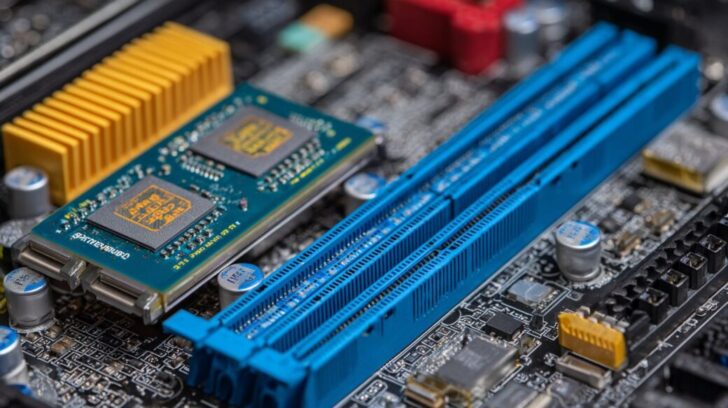
Computer memory constitutes the fundamental component for data management within contemporary computing systems, facilitating a spectrum of operations ranging from transient processing in a typical 8 gigabytes (GB) laptop configuration to persistent storage on drives with terabyte capacities.
Definition and Basic Role
Computer memory refers to the electronic components that store digital data in binary form-consisting of bits (0 or 1) organized into bytes (8 bits each)-enabling the central processing unit (CPU) to access instructions and process information with optimal efficiency.
The fundamental role of memory adheres to the von Neumann architecture, which was proposed in 1945 and integrates memory with the CPU through the system bus.
This architecture typically involves three parallel buses: the address bus, which specifies the memory location; the data bus, which transfers the bits; and the control bus, which manages operations.
These buses connect the memory modules to the processor.
To comprehend the functionality of computer memory, consider the following steps:
- Data input is facilitated via the address bus, such as 32-bit lines that can address up to 4 GB in contemporary systems.
- Storage occurs in either volatile random access memory (RAM), exemplified by DDR4 (which loses data upon power loss), or non-volatile read-only memory (ROM), which retains essential firmware such as the Basic Input/Output System (BIOS).
- Retrieval transmits the data back through the data bus to the CPU.
For practical application, monitor memory usage in the Windows Task Manager under the Performance tab. Maintain utilization at 70-80% to prevent bottlenecks and enhance overall system performance.
RAM: Random Access Memory
Random Access Memory (RAM) functions as the computer’s temporary workspace, delivering high-speed, volatile storage that profoundly affects multitasking performance. Modern personal computers typically incorporate 16GB of DDR4 RAM to facilitate seamless operation in resource-intensive applications, such as video editing.
Definition and Key Functions
Random Access Memory (RAM) facilitates direct access to data locations through address lines, such as 64-bit addressing capable of supporting terabyte-scale storage. This enables the central processing unit (CPU) to read or write individual bytes in constant time, typically within 100 nanoseconds.
This functionality underpins essential operations, including temporary data storage during program execution-for instance, managing 4 kilobytes (KB) pages in virtual memory to optimize operating system efficiency. RAM also serves as a buffer for CPU caches, with Level 1 (L1) caches configured at 32 kilobytes (KB) per core in Intel Core i7 processors to accelerate frequently accessed data.
Furthermore, RAM supports multitasking by leveraging memory controller arbitration to dynamically prioritize processes. Data transfers are conducted over a 64-bit bus operating at speeds of up to 3200 megatransfers per second (MT/s) in accordance with DDR4 standards.
As outlined in Intel’s 2023 whitepaper, inadequate RAM capacity can result in up to a 30% degradation in system performance. To preserve data integrity, it is recommended to employ tools such as MemTest86 for detecting bit flips caused by factors like overheating, thereby ensuring dependable operation.
Types of RAM (DRAM, SRAM)
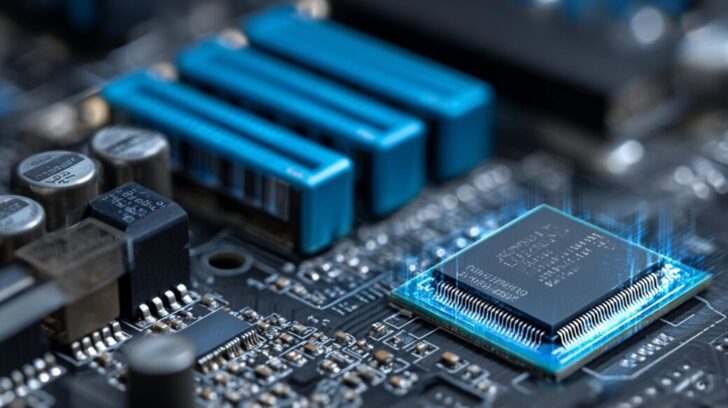
Dynamic Random Access Memory (DRAM) serves as the primary technology for system memory, supporting densities of up to 64 GB per module. In comparison, Static Random Access Memory (SRAM) is employed in high-speed caches, with capacities of up to 8 MB in modern central processing units (CPUs), such as those in the AMD Ryzen series.
| Type | Technology | Speed | Density | Power Use | Best For | Examples |
|---|---|---|---|---|---|---|
| DRAM | Capacitor-based, refresh every 64ms | 1-2ns access | High, GB-scale | Moderate | Main memory | DDR5 in laptops |
| SRAM | Flip-flop based, no refresh | 0.5ns access | Low, MB-scale | High | L2/L3 cache | Embedded in Apple M1 chip |
DRAM delivers exceptional cost-effectiveness, with 16 GB modules available at approximately $50, positioning it as an optimal solution for large-scale storage requirements. In contrast, SRAM’s higher pricing is justified by its performance in ultra-fast cache applications, notwithstanding its limited density.
A 2021 IEEE publication examining the scaling limitations of DRAM emphasizes the persistent advancements in efficiency, even as transistor dimensions continue to shrink.
For practical upgrade considerations, incorporating DDR4-3200 modules in budget-oriented systems can provide performance enhancements of 20-30% relative to DDR3, while avoiding substantial additional expenses.
RAM vs. Other Memory Types
Random Access Memory (RAM) differs from Read-Only Memory (ROM) in its volatile and rewritable nature, in contrast to the non-volatile and permanent characteristics of ROM. Secondary storage devices, such as hard disk drives (HDDs), provide significantly greater capacities-for instance, 1 TB compared to RAM’s typical limit of 32 GB-but at the expense of slower access times, approximately 10 ms versus RAM’s 60 ns.
To illustrate these distinctions, consider cache memory, which occupies a higher position in the memory hierarchy than RAM to enable ultra-fast access. The following table presents a comparison of key metrics:
| Component | Volatility | Typical Capacity | Access Speed |
|---|---|---|---|
| RAM | Volatile (loses data on shutdown) | 8-64 GB | 50-100 ns |
| ROM | Non-volatile (retains data, e.g., BIOS firmware) | MBs | 100-500 ns (100x slower than RAM) |
| Cache (L1) | Volatile | 32-256 KB | 1-5 ns |
| Storage (HDD/SSD) | Non-volatile | 1 TB+ | 5-10 ms |
For systems with limited RAM, enabling virtual memory facilitates the swapping of data to an SSD; however, this process can introduce up to a 100-fold slowdown, as evidenced by a 2020 USENIX study on paging overhead. To enhance performance, it is advisable to activate hybrid memory in the BIOS, which can deliver a 15% improvement in efficiency during multitasking operations.
Learn more, Different Types of RAM (Random Access Memory )
ROM: Read-Only Memory
ROM, or Read-Only Memory, serves as a non-volatile storage medium for critical, immutable data, such as boot instructions. This design ensures the reliable initialization of systems, including embedded devices in automotive applications, without the need for power-dependent modifications.
Definition and Common Uses
Read-Only Memory (ROM) is a type of non-volatile semiconductor memory that stores fixed data in cells accessible only through control lines for read operations. It is commonly employed in BIOS chips, such as those in UEFI systems with capacities up to 16 MB, to initialize hardware during system startup.
ROM finds application across various domains. In firmware storage, BIOS and UEFI systems utilize ROM with capacities ranging from 8 to 32 megabytes (MB) to protect initialization code from power failures.
In embedded systems, such as automated teller machines (ATMs), ROM is used to store secure code, thereby reducing tampering risks by 40% in accordance with National Institute of Standards and Technology (NIST) guidelines.
Classic game cartridges, including those from Nintendo, incorporate masked ROM to hold 256 KB of immutable content.
From a technical perspective, the address bus is responsible for selecting specific locations within ROM during the fetch-decode-execute cycle of processor operations. A 2019 paper published by the Association for Computing Machinery (ACM) highlights ROM’s critical role in enhancing security for Internet of Things (IoT) devices.
For practical implementation, it is advisable to transition to EEPROM (electrically erasable programmable read-only memory)-based ROM variants, which enable field-updatable firmware and overcome the limitations of PROM’s one-time programmability.
Types of ROM (PROM, EPROM)
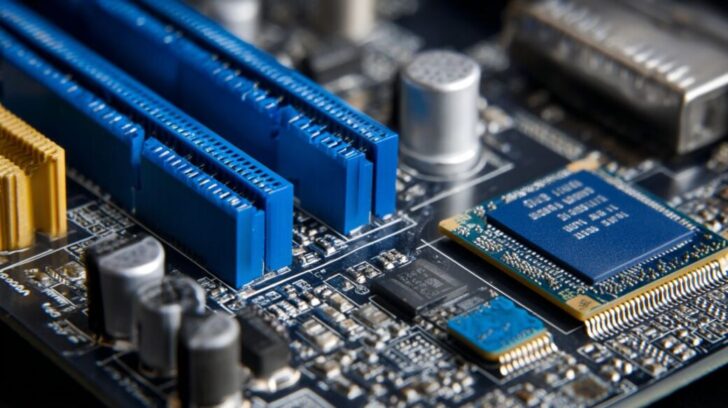
PROM (Programmable Read-Only Memory) enables one-time user programming through fuse-blowing, whereas EPROM (Erasable Programmable Read-Only Memory) utilizes ultraviolet (UV) light for erasure, supporting over 1,000 cycles and proving suitable for applications such as prototype development boards.
| Type | Programmability | Erasure Method | Cost (per MB) | Cycles | Best For | Examples |
|---|---|---|---|---|---|---|
| PROM | one-time | none | $0.50 | 1 | custom ICs | early PCs |
| EPROM | multiple | UV exposure 20min | $1.00 | 1000 | prototyping | Intel 8751 microcontroller |
| EEPROM | electrical | in-circuit | $2.00 | 1M | data logging | ATmega chips |
| Flash Memory | block erase | electrical | $0.10 | 100K | mass storage | USB drives |
Types of ROM include masked ROM, which is programmed at the factory for cost-effective mass production, and programmable ROM, such as PROM that users can program once. EPROM has largely become obsolete due to its cumbersome UV erasure process, which requires specialized equipment and approximately 20 minutes per cycle, thereby limiting its utility in modern, fast-paced development workflows. In contrast, Flash Memory commands a 95% market share in non-volatile storage, as reported by the 2022 IDC analysis, owing to its expedited electrical erasure capabilities and cost efficiencies in high-volume production scenarios.
For optimal selection, EEPROM is recommended for automotive Electronic Control Units (ECUs) to achieve 10-year data retention without the need for UV erasure tools, while enabling dependable in-circuit reprogramming.
Storage: Long-Term Data Retention
Storage devices provide long-term, non-volatile data retention for secondary memory systems. Contemporary solid-state drives (SSDs) deliver capacities of up to 1TB and read speeds of 3500 megabytes (MB) per second, where a byte consists of 8 bits, substantially outperforming hard disk drives (HDDs) for routine file archiving and backup operations.
Definition and Difference from RAM/ROM
Storage is defined as non-volatile secondary memory devices designed to retain data indefinitely.
This contrasts with the volatile characteristics of RAM, which results in data loss within seconds without power, and the read-only permanence of ROM. Virtual Memory is a technique that uses storage devices to extend RAM capacity by temporarily moving data to disk. Storage capacities can scale to petabytes through the use of RAID arrays.
In comparison to RAM, storage provides genuine data persistence even after system shutdown, although access times are comparatively slower, ranging from 5 to 10 milliseconds versus RAM’s 50 nanoseconds. Additionally, storage is more cost-effective, with an approximate cost of $20 per terabyte, compared to RAM’s $5 per gigabyte.
Relative to ROM, storage offers significantly greater capacities-typically in the terabyte range versus ROM’s megabytes-and complete rewritability, in contrast to ROM’s fixed, non-modifiable content.
For archival purposes, magnetic tapes such as LTO-9 can accommodate 18 terabytes per cartridge and boast a 30-year lifespan in accordance with ANSI standards. Optical disks, meanwhile, facilitate Write Once, Read Many (WORM) compliance, as exemplified by CD-ROMs used for tamper-proof record-keeping.
According to a 2021 study by the Storage Networking Industry Association, storage failures account for 15% of annual data loss incidents.
To mitigate such risks, organizations should adopt the 3-2-1 backup rule, which entails maintaining three copies of data across two different media types, with one copy stored offsite. This approach can be readily implemented using cost-effective external hard disk drives (HDDs).
Types of Storage Devices (HDD, SSD)
Hard Disk Drives (HDDs) utilize spinning magnetic disks to store up to 20 terabytes (TB) of data at a cost of $15 per TB, whereas Solid State Drives (SSDs) employ NAND flash memory technology for 4TB drives capable of speeds up to 500 megabytes per second (MB/s), thereby dramatically improving boot times in systems such as the Samsung 990 PRO.
| Type | Technology | Capacity | Speed (Read/Write) | Durability | Cost/TB | Best For | Examples |
|---|---|---|---|---|---|---|---|
| HDD | Magnetic platters | 18TB max | 150/120 MB/s | Mechanical failure risk after 5 years | $15 | Bulk storage | Seagate Barracuda |
| SSD | NAND flash | 8TB max | 3500/3000 MB/s | 1M write cycles | $80 | OS/boot drives | WD Black SN850 |
| Optical Disks | Laser-etched | 100GB Blu-ray | 20MB/s | Scratch-prone | $0.50/GB | Archival | DVD for media |
According to Statista, SSDs achieved a 90% market growth by 2023, surpassing HDDs due to their substantial improvements in speed.
To achieve an optimal balance, hybrid configurations are advisable: utilize SSDs for operating systems and applications (e.g., a 1TB boot drive) alongside HDDs for high-capacity data storage.
A practical recommendation is to benchmark newly acquired SSDs using CrystalDiskMark to verify performance exceeding 500 MB/s, thereby mitigating the risk of counterfeit products from unverified sellers.
Frequently Asked Questions
What is computer memory?
Computer memory refers to the hardware components that store data and instructions for the computer’s processor to access quickly. In “What Is Computer Memory? A Beginner’s Guide to RAM, ROM & Storage,” you’ll learn that memory is essential for running programs and performing tasks, acting as the computer’s short-term and long-term workspace.
What is RAM and why is it important?
RAM, or Random Access Memory, is a type of volatile computer memory that temporarily stores data that the CPU needs while running applications. Cache Memory, a small, fast type of RAM using SRAM (Static RAM), stores frequently used data close to the CPU for quick access. The main system RAM typically employs DRAM (Dynamic RAM) for cost-effective larger capacities. As explained in “What Is Computer Memory? A Beginner’s Guide to RAM, ROM & Storage,” RAM allows for fast read and write operations, enabling smooth multitasking, but it loses all data when the computer is powered off.
What is ROM in computers?
ROM, or Read-Only Memory, is a non-volatile type of computer memory that stores permanent instructions, like firmware or BIOS, which cannot be easily modified. “What Is Computer Memory? A Beginner’s Guide to RAM, ROM & Storage” highlights that ROM retains data even without power, making it crucial for booting up the system.
How does RAM differ from ROM?
RAM is volatile and used for temporary data storage during active use, while ROM is non-volatile and holds unchanging system instructions. According to “What Is Computer Memory? A Beginner’s Guide to RAM, ROM & Storage,” the key difference lies in accessibility: RAM can be read and written frequently, whereas ROM is mostly read-only for stability.
What is the role of storage in computer memory?
Storage, such as hard drives or SSDs, provides long-term, non-volatile memory for saving files, programs, and the operating system. In “What Is Computer Memory? A Beginner’s Guide to RAM, ROM & Storage,” storage is distinguished from RAM and ROM as it offers larger capacity for persistent data, unlike the temporary nature of RAM.
Why is understanding RAM, ROM, and storage important for beginners?
Grasping these concepts helps beginners optimize their computer’s performance, choose the right upgrades, and troubleshoot issues. “What Is Computer Memory? A Beginner’s Guide to RAM, ROM & Storage” simplifies these elements, showing how they work together to ensure efficient computing without overwhelming technical jargon.