In today’s fast-paced world, effective communication is essential, leading many to explore teleconferencing and video conferencing options as part of their communication strategies. While teleconferencing often relies on audio-only connections, video conferencing enhances interactions with audio-video capabilities using advanced conferencing technology. Understanding the key differences between these two telecommunications methods can empower businesses and individuals to choose the right solution for their needs, improving their professional relationships. This article dives into these distinctions, helping you make informed decisions for seamless communication and effective team collaboration.
Table of Contents
Key Takeaways:
- Teleconferencing and video conferencing both offer virtual communication, with teleconferencing focusing on audio and video conferencing on high-quality visuals.
- Video conferencing is more suitable for visually intensive purposes like remote learning, while teleconferencing is preferred for simple communication, such as business meetings.
- When choosing between teleconferencing and video conferencing, consider factors like audio and visual quality, user interface, technical requirements, and cost to determine which option best suits your needs.
Definition of Teleconferencing

Teleconferencing refers to the utilization of telecommunications technology to facilitate communication among multiple participants, typically through audio or basic video connections.
Generally, teleconferencing systems include features such as voice communication, screen sharing, and recording capabilities, making them essential tools for remote meetings. For instance, platforms like Zoom and Microsoft Teams enable users to connect seamlessly, even in low-bandwidth environments. Participants can initiate calls, share presentations, and engage in real-time discussions, thereby boosting cooperative efforts across distances.
To commence a teleconferencing session, one should select the preferred platform, invite participants via email, and schedule a time that accommodates all relevant time zones.
Definition of Video Conferencing and Video Meeting
Video conferencing significantly enhances traditional teleconferencing by integrating visual elements, enabling participants to engage in real-time communication through high-definition video streams, allowing better distance communication. This visual context fosters deeper engagement, allowing individuals to perceive body language and facial expressions, which are often absent in voice-only calls.
Platforms such as Zoom and Microsoft Teams offer features including screen sharing, breakout rooms, and integrated chat functionalities, all of which enhance interaction among participants and facilitate data sharing.
To optimize the video conferencing experience, it is advisable to ensure a stable internet connection, utilize a dedicated webcam for improved quality, and become familiar with the features of the chosen platform.
Adopting this approach can greatly enhance collaboration, whether for team meetings, webinars, or virtual events.
Key Features Comparison and Technical Issues
Evaluating the key features of teleconferencing and video conferencing provides valuable insights into their effectiveness across various scenarios, particularly in terms of audio and visual quality, considering potential technical issues.
Audio Quality
Audio quality is a critical component of teleconferencing, influenced by factors such as bandwidth and the technology employed. VoIP services provide varying levels of clarity, which can impact the overall communication experience.
To achieve optimal performance, tools such as ezTalks offer high-definition voice capabilities, ensuring that participants can communicate clearly. It is advisable to aim for latency under 150 milliseconds to minimize disruptions during conversations.
It is essential to check internet connection speeds, with a recommendation of at least 1 Mbps for each participant. Utilizing noise-cancellation features can significantly reduce background interference, and the use of headsets for individual users can enhance both audio input and output.
Regular testing of the setup prior to important meetings is crucial to ensure all components function correctly, thereby facilitating smoother and more productive discussions.
Visual Quality
Visual quality plays a crucial role in enhancing the effectiveness of video conferencing, as high-definition (HD) video capabilities significantly improve participant interaction and engagement levels. High-definition video, such as that provided by technologies like Neomeet, ensures clear visuals that minimize the potential for miscommunication and cultivate a more personal connection among participants.
This clarity facilitates the effective interpretation of non-verbal cues, which are essential for assessing reactions during discussions. While platforms such as Zoom and Microsoft Teams also offer HD options, their performance may vary depending on internet speed.
By investing in a reliable HD service and ensuring a stable internet connection, organizations can substantially enhance meeting effectiveness and participant satisfaction.
User Interface and Cloud-Based Conferencing
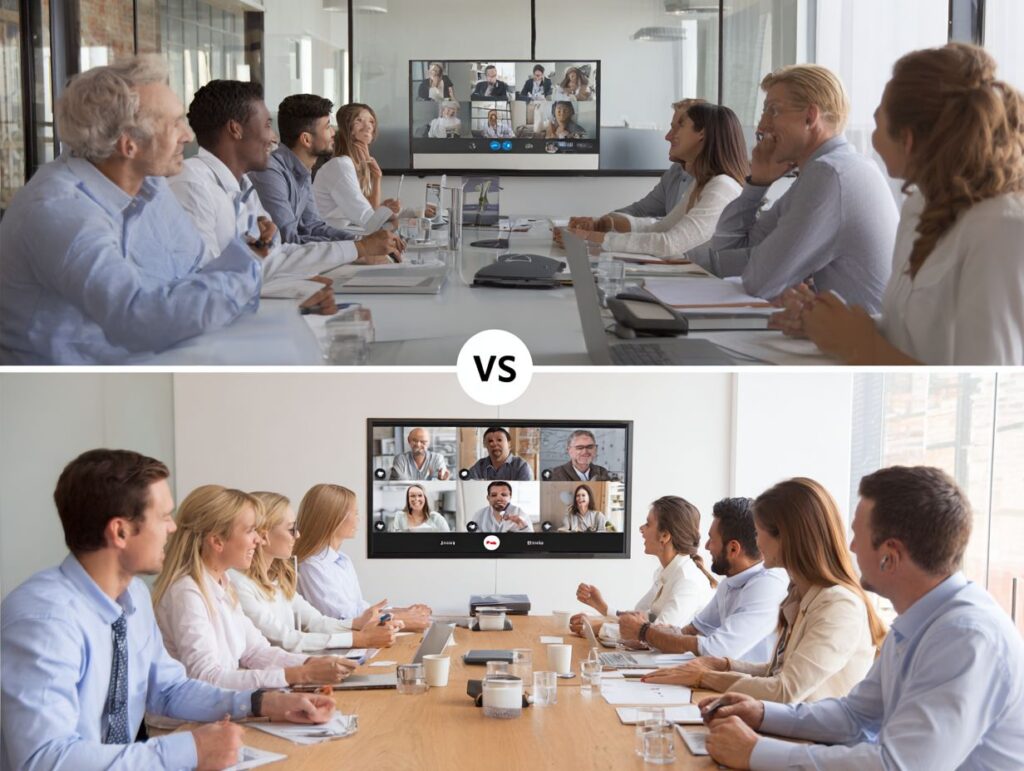
An intuitive user interface in teleconferencing platforms significantly enhances the user experience by facilitating smooth navigation and promoting effective engagement during meetings, especially in cloud-based conferencing environments.
Key features to consider include interactive whiteboards, which improve engagement levels:
- Interactive whiteboards
- Chat functions
- Screen-sharing tools
For instance, Zoom’s user-friendly interface enables users to share screens effortlessly with a single click, while Microsoft Teams incorporates a virtual whiteboard to encourage real-time collaboration. Another notable option, Webex, provides customizable layouts, allowing users to prioritize participant views according to their preferences.
By evaluating these tools based on their usability, one can select the platform that best meets the communication and collaboration needs of their team.
Use Cases and Applications
Teleconferencing and video conferencing serve a wide range of applications across various industries, significantly enhancing the effectiveness of business meetings and educational settings.
Business Meetings and Professional Meetings
In the corporate landscape, video conferencing has become a critical tool for conducting effective business meetings and facilitating real-time collaboration among remote teams, improving overall productivity tools use.
Platforms such as Zoom and Microsoft Teams provide a comprehensive suite of features designed to enhance communication and improve decision-making processes.
For example, Zoom offers breakout rooms for smaller group discussions, allowing teams to brainstorm effectively before reconvening. Similarly, Microsoft Teams seamlessly integrates with Office 365, enabling real-time document collaboration during meetings.
The screensharing capabilities, chat functions, and recording options available on both platforms ensure that critical information is documented and accessible for subsequent review, promoting clarity and alignment across teams.
Remote Learning and Training Sessions
Remote learning leverages the capabilities of video conferencing to provide engaging educational experiences, thereby making training sessions accessible to a global audience, offering comprehensive telecommunication infrastructure.
Educational institutions utilize platforms such as Zoom and Microsoft Teams to establish interactive classrooms. For example, Zoom’s breakout rooms facilitate small group discussions, thereby boosting cooperative efforts and participation among learners.
Simultaneously, Microsoft Teams seamlessly integrates assignments and files, allowing for efficient access to educational resources. Both platforms also support live polls and Q&A sessions, which serve to maintain student engagement throughout the learning process.
By employing these technological tools, educators can effectively replicate a traditional classroom environment, fostering active learning even in a remote setting. The incorporation of innovative elements such as virtual whiteboards and recorded sessions further enriches the overall learning experience.
Technical Requirements and Hardware Requirements
Comprehending the technical requirements for teleconferencing and video conferencing is essential to ensure seamless operations and an optimal user experience.
Hardware Needs

Effective teleconferencing requires specific hardware components, including high-definition cameras, quality microphones, and reliable computer networks, as well as understanding of the hardware requirements to facilitate smooth interactions.
When selecting hardware, it is advisable to consider budget-friendly options, such as the Logitech C270 HD camera and the Blue Snowball microphone, both priced under $100. For those seeking a higher-end setup, the Logitech Brio 4K camera and the Shure MV7 USB microphone offer superior audio-visual quality, significantly enhancing the user experience.
To ensure seamless streaming, it is essential to maintain a minimum upload speed of 10 Mbps on your internet connection. Utilizing tools such as Zoom or Microsoft Teams can effectively leverage these devices to improve clarity during meetings.
Software Compatibility and Cost Implications
Selecting software that is compatible with a variety of devices and meeting tools is crucial for facilitating seamless teleconferencing experiences, particularly in diverse environments, while considering cost implications.
To ensure optimal performance, one may consider tools such as Zoom, which operates effectively across Windows, macOS, and mobile devices, offering a consistent user experience. Microsoft Teams is another versatile option, particularly suitable for organizations that utilize Office 365, as it integrates effortlessly with other Microsoft applications.
For those seeking a browser-based solution, Google Meet is advantageous as it requires no downloads, thereby making it accessible on any system.
It is important to evaluate your team’s specific needs and technical preferences in order to select a teleconference system that enhances collaboration without compatibility issues, ensuring that all participants can engage effectively, regardless of their device or communication channels.
Cost Considerations for VoIP Services
Cost considerations are a crucial factor in the selection of teleconferencing and video conferencing solutions, including VoIP services, as there are various subscription models available to accommodate diverse requirements.
Subscription Models
Subscription models for teleconferencing solutions exhibit considerable variation, ranging from complimentary basic plans to premium options that may exceed $300 per month for advanced features such as HD video and remote communication.
For example, Zoom offers a free plan that imposes a 40-minute limit on group meetings, while its Pro plan, priced at $149.90 per year, permits unlimited sessions accommodating up to 1,000 participants, facilitating global collaborations.
In comparison, Microsoft Teams provides a free tier that includes essential chat and collaboration tools; however, upgrading to the Microsoft 365 Business Basic plan at $6 per user per month enables access to cloud storage and scheduling features.
Additionally, Google Meet offers free access for one-on-one meetings, while its Business Standard plan at $12 per user per month incorporates recording capabilities and virtual backgrounds.
It is advisable to assess the specific needs of your team to determine the most suitable platform.
Additional Expenses
Additional expenses associated with teleconferencing may encompass hardware upgrades, enhancements to internet bandwidth, and potential costs arising from third-party integrations, possibly impacting meeting access and network quality.
Hardware upgrades might require the acquisition of high-quality webcams, microphones, or headsets. For example, investing in a quality USB microphone can range from $50 to $150, significantly improving audio clarity.
Enhancements to internet bandwidth may necessitate transitioning from standard to high-speed service, which could incur an additional cost of $20 to $60 per month, crucial for seamless audio data transmission.
Furthermore, integrating platforms such as Zoom or Microsoft Teams may involve subscription fees, typically ranging from $15 to $25 per user on a monthly basis, and may require a reliable PBX system.
These investments facilitate a more seamless experience, minimizing lag and enhancing the overall quality of communication.
Learn more, How Much Does VoIP Cost? [A Pricing Guide].
Frequently Asked Questions

What is the main difference between teleconferencing and video conferencing in hybrid work?
The main difference between teleconferencing and video conferencing is that teleconferencing is a form of communication that uses only audio, while video conferencing allows for both audio and video communication.
What are the advantages of using video conferencing over teleconferencing?
Video conferencing offers several advantages over teleconferencing, such as the ability to see facial expressions and body language, which can improve communication and understanding. It also allows for screen sharing, file sharing, and collaboration, making it a more versatile tool for meetings and presentations.
Can teleconferencing and video conferencing be used interchangeably?
No, teleconferencing and video conferencing are not interchangeable terms. While both involve remote communication, they use different technologies and have different capabilities. Teleconferencing is limited to audio communication, while video conferencing allows for visual communication as well.
What equipment is needed for teleconferencing and video conferencing?
For teleconferencing, you only need a device with a microphone and speaker, such as a phone or computer capable of VoIP. Video conferencing requires a device with a camera, microphone, and speaker, as well as a stable internet connection for handling video data.
Which is more cost-effective, teleconferencing or video conferencing?
In general, teleconferencing is more cost-effective than video conferencing. This is because teleconferencing only requires basic equipment, while video conferencing may require additional hardware or software. However, the cost-effectiveness may vary depending on the specific needs and usage of each method.
Can teleconferencing and video conferencing be used for large meetings or conferences?
Yes, both teleconferencing and video conferencing can be used for large meetings or conferences. However, video conferencing may be better suited for larger gatherings, such as a conference call, as it allows for visual communication and screen sharing, which can enhance the overall experience and engagement of participants.