In today’s competitive business landscape, selecting the right printer or copier is essential for boosting productivity and cutting costs-especially for small businesses relying on laser technology for high-volume tasks. Brands like HP, Epson, Canon, Brother, Ricoh, Lexmark, Kyocera, Xerox, and Konica Minolta offer diverse options, from inkjet multifunction devices to robust laser copiers. This guide walks you through assessing your printing volume, key features, and budget to find the ideal fit that streamlines your workflow.
Table of Contents
Key Takeaways:
- Assess your business’s printing volume, document types, and user needs to determine the required capacity and integration for efficient workflows.
- Compare laser and inkjet printers, plus multifunction devices, based on speed, resolution, connectivity, and security features to match your operations.
- Balance initial costs with long-term reliability, support, lease or purchase options, and sustainability factors including environmental impact and ENERGY STAR certification to ensure a cost-effective and eco-friendly choice with minimal total cost of ownership.
Assess Your Business Needs

For small businesses, the assessment of printing requirements commences with a thorough analysis of daily output volumes, such as a marketing firm that produces 500 pages per week. This evaluation ensures that the selected printer is aligned with operational demands and contributes to enhanced productivity.
Printing Volume and Frequency
To determine your printing volume, track your monthly output. For example, a small business averaging 5,000 pages per month should select devices with a duty cycle of at least 50,000 pages per year.
To perform an accurate assessment, follow these steps:
- Perform a print audit by monitoring usage over a 30-day period using free tools such as HP Web Jetadmin, which requires 20-30 minutes for setup to track print jobs and totals.
- Calculate peak usage frequency-for instance, 100 pages per hour during end-of-month reporting-by leveraging the printer’s built-in software.
- Compare your results to the duty cycle specifications from manufacturers such as Brother, targeting 1.5 to 2 times your annual volume to ensure reliability.
A common error is underestimating usage bursts, which can result in downtime. To address this, incorporate a 20% buffer into your calculations for optimal performance.
Document Types and Quality Requirements
To effectively select the appropriate printer, begin by assessing document requirements, such as the need for high-resolution color printing at a minimum of 300 dpi for marketing materials, in contrast to monochrome laser text for invoices. This evaluation enables the choice of suitable devices, such as the Canon Color imageCLASS MF656Cdw, which delivers vibrant color outputs.
Subsequently, classify documents by category; for example, if photographs constitute 40% of output, consider the Epson EcoTank Photo ET-8550, renowned for its superior photo quality and high yield ink cartridges due to its six-color ink system.
Additionally, define resolution standards, targeting 600×600 dpi for text-based documents to guarantee optimal readability.
Validate selections by testing sample prints through free trials or demonstrations available at Canon or Epson retail locations.
This methodical approach mitigates the frequent oversight of media compatibility.
Perform paper-handling assessments to avert jams with glossy media, which could reduce reprint costs by up to 15%, as reported in the 2022 Printer Consumer Report by Consumer Reports.
The majority of evaluation processes can be completed in less than one hour.
Number of Users and Workflow Integration
For a team of 10 users in a small business, integrating printers into workflows through shared networks can significantly enhance productivity, as demonstrated by the HP OfficeJet Pro 9125e, which supports multiple simultaneous jobs.
- To implement this effectively, begin by conducting a thorough needs assessment: evaluate the number of users and their specific roles, for example, accommodating five designers who require duplex scanning capabilities for double-sided printing.
- Subsequently, map out workflows utilizing the free tier of Microsoft Power Automate; this process typically requires approximately one hour to automate print queues and approval mechanisms.
- Emphasize user friendly features, such as the touchscreen interfaces available on Brother MFC-L8900 models, to facilitate rapid setup and operation.
- A frequent challenge in such integrations is inadequate compatibility, which can result in up to a 20% loss in productivity, according to a Gartner study on office automation; this risk can be mitigated by performing pre-purchase surveys to ensure alignment with team workflows and habits.
- This configuration has the potential to increase overall efficiency by 30%, as reported by Forrester research.
Understand Printer and Copier Types
The selection of printer and copier types significantly influences operational efficiency for businesses. Laser models, such as those from HP, excel in high-volume text printing, while inkjet models from Epson are particularly well-suited for color-intensive tasks.
This distinction assists small businesses in making informed and cost-effective choices.
Laser vs. Inkjet Printers

Monochrome laser printers, exemplified by the Brother HL-L2460DW model priced at $150 and capable of 36 pages per minute with high yield toner cartridges, surpass inkjet printers such as the Canon PIXMA MG3620 ($60, 10 pages per minute) in performance for high-volume monochrome printing tasks, primarily due to their substantially lower cost per page (1.5c compared to 5c).
| Printer Type | Pros | Cons | Best For |
|---|---|---|---|
| Laser (e.g., Brother HL-L2460DW) | High yield toner cartridges yielding up to 5,000 pages; energy-efficient at 0.5 kWh per job; superior text sharpness | Higher initial cost ($200-$500); larger footprint | Offices with printing volumes exceeding 1,000 pages per month |
| Inkjet (e.g., Canon PIXMA MG3620) | Cost-effective pricing ($50-$200); exceptional photo reproduction; compact design | Ink prone to drying if not used regularly; elevated maintenance costs (5c per page) | Home users or low-volume color printing needs |
According to the Consumer Reports 2023 study, laser printers yield a 40% reduction in maintenance expenses for businesses that print more than 1,000 pages monthly. In a practical case study, a small office that transitioned to laser printing realized a 30% return on investment within the first year, decreasing annual ink cartridge expenditures from $500 to $150, thereby enhancing productivity without imposing undue financial pressure and supporting budget planning.
Multifunction Devices vs. Dedicated Copiers
Multifunction devices, such as the Epson EcoTank ET-3850 (priced at $500 and incorporating scanning and faxing capabilities), provide greater versatility compared to dedicated copiers like Ricoh models (starting at $2,000 or more), especially when considering space considerations for small teams. These multifunction units are particularly suitable for small businesses that require integrated printing, scanning, and faxing functionality within a single device.
To select the appropriate device, it is advisable to evaluate key attributes through a structured comparison:
| Type | Price | Features | Best For |
|---|---|---|---|
| Multifunction | $300-800 | automatic document feeder (ADF) for 50 sheets, duplex scanning/printing | Small teams |
| Dedicated | $1,500+ | Speed of 40 ppm, finishing options such as stapling | High-volume offices |
According to an IDC report, multifunction devices enhance productivity and workflow efficiency by 35% primarily through space optimization. For instance, a small business transitioned to the Brother MFC-L8905CDW, consolidating equipment from three separate units to one, which resulted in a 20% reduction in operational costs.
When determining the optimal solution, evaluate your monthly print volume; volumes below 2,000 pages typically favor multifunction devices for their cost-effectiveness, and consider managed print services from providers like Gordon Flesch Company, BDS, and Toshiba America Business Solutions for ongoing maintenance and lease options.
Evaluate Key Features
Devices from Canon and HP, equipped with key features such as a print speed of 25 pages per minute, wireless connectivity, cloud integration, and mobile printing, possess the capacity to revolutionize operations within small businesses and promote a paperless office environment. These attributes enable seamless integration and reinforce security protocols for everyday printing requirements.
Print Speed and Resolution
It is advisable to target a print speed of at least 20 pages per minute (ppm) at a resolution of 1200×1200 dpi, as exemplified by the Canon Color imageCLASS MF656Cdw, to process business documents efficiently and minimize operational bottlenecks.
Print speed should be evaluated in ppm for both simplex (one-sided) and duplex (two-sided) printing modes. For instance, the HP PageWide Pro 477dw delivers 22 ppm in color simplex mode, making it suitable for high-volume office environments.
Resolution plays a critical role in output quality. A minimum of 600 dpi is recommended for sharp text documents, while models such as the Epson WorkForce Pro WF-C5790, optimized at up to 4800 dpi, are preferable for high-fidelity photo printing.
Performance validation can be achieved through established benchmarks, such as those from PCMag, which assess real-world throughput under typical workloads.
For networked printers, status monitoring can be performed via API using the following curl command: curl -X GET “printer/status”.
When monthly printing volume exceeds 1,000 pages, priority should be given to duplex printing speed to prevent paper jams and processing delays.
Connectivity and Mobile Compatibility
Modern printers support wireless connectivity, cloud integration, and mobile printing features to enhance accessibility and security features, reducing the environmental impact through efficient resource use and ENERGY STAR compliance.
Wireless connectivity through Wi-Fi 6 and mobile printing applications, such as those integrated with the Brother MFC-L8905CDW, facilitates on-the-go printing from iOS and Android devices. This capability supports seamless cloud integration with services like Google Drive, offering enhanced flexibility for small businesses.
To achieve an effective setup, adhere to the following three steps:
- First, confirm compatibility with relevant protocols, such as AirPrint for Apple devices or Mopria for Android, to ensure seamless discovery on the network.
- Second, integrate cloud services; Brother’s iPrint&Scan application enables connection to Google Drive in under five minutes through the printer’s touchscreen interface or the mobile setup wizard.
- Third, perform a test print from a distance of up to 50 feet to validate signal strength, utilizing Wi-Fi 6’s enhanced range as defined by Wi-Fi Alliance standards.
To mitigate common challenges, such as insecure networks, enable WPA3 encryption, which improves security by 40% according to cybersecurity analyses from the National Institute of Standards and Technology (NIST).
Security and Paper Handling

Security features such as PIN-protected printing on Lexmark models and robust paper handling capabilities with 250-sheet trays in the HP OfficeJet Pro 9125e safeguard sensitive business documents while optimizing media feeding processes.
To bolster security further, organizations should enable HIPAA-compliant encryption in accordance with NIST SP 800-53 guidelines on Lexmark devices. This involves accessing the administrator menu, navigating to the “Secure Print” option, and configuring PINs-a process that can be completed in under two minutes-to mitigate the risk of unauthorized access.
The HP OfficeJet Pro 9125e’s Automatic Document Feeder (ADF) accommodates 35 to 60 sheets and supports automatic duplexing, thereby reducing manual intervention by 40 percent during high-volume scanning and copying operations.
For optimal performance, users should access the printer’s control panel, select the “Paper Handling” menu, and calibrate the tray settings to ensure reliable media feeding.
According to a Deloitte study, companies that implement Kyocera’s secure print functionalities have achieved a 50 percent reduction in data breaches, thereby enhancing regulatory compliance and operational efficiency in document management workflows.
Consider Budget and Costs
When budgeting for printers, it is crucial to balance upfront acquisition costs with recurring operational expenses. For small businesses, leasing a Xerox model at $50 per month typically provides a more favorable total cost of ownership than an outright purchase.
Initial Purchase Price
Initial prices for printers typically range from $100 for basic inkjet models, such as the Canon PIXMA MG3620, to $800 for multifunction laser printers, like the Canon Color imageCLASS MF656Cdw or the Brother HL-L2460DW.
However, to achieve a true cost of 2 cents per page, it is essential to consider the use of high-yield toner.
For optimal long-term value, the Epson EcoTank or Epson EcoTank Photo ET-8550, priced at approximately $400, offers significant advantages. This model includes sufficient ink for up to 7,500 color pages, thereby eliminating the need for frequent cartridge replacements and reducing costs to less than 1 cent per page.
In contrast, traditional inkjet printers often incur ongoing ink expenses exceeding $0.10 per page.
To evaluate return on investment (ROI), apply the following formula: (Annual ink savings – maintenance costs) / print volume. For instance, a $500 laser printer could yield annual savings of $300 compared to inkjet models, assuming a monthly print volume of 5,000 pages.
As an alternative, consider leasing options through Gordon Flesch Company for as low as $20 per month. This approach avoids the substantial upfront cost of $1,000 while providing access to high-yield models, such as those in the Brother series.
Review Reliability and Support
Reliability is paramount in printing solutions, as evidenced by Brother printers achieving an average of 99% uptime according to J.D. Power surveys. This performance is further enhanced by managed print services from BDS, which incorporate toner cartridge audits to reduce downtime effectively.
To optimize this reliability, organizations should adopt the following best practices:
- Evaluate Mean Time Between Failures (MTBF) ratings, for example, Ricoh models that demonstrate capabilities of up to 500,000 pages, as reported in a 2022 Gartner analysis;
- Examine vendor support structures, favoring providers such as Xerox that offer 24/7 service with response times under two hours;
- Implement print audit tools, including PaperCut, which enables cost tracking at approximately $0.02 per page for proactive oversight.
For example, a small business that integrated Konica Minolta printers alongside scheduled maintenance protocols experienced a 60% reduction in failures, according to a 2023 IDC case study, resulting in annual savings of $2,000 on repairs and associated downtime.
Factor in Sustainability
Selecting sustainable printing solutions, such as the ENERGY STAR-certified Epson EcoTank ET-3850, can reduce energy consumption by up to 80% compared to less energy efficient models. These options not only facilitate the transition to a paperless office environment but also optimize space utilization through their compact designs.
To achieve maximum cost savings, ENERGY STAR-certified devices generally decrease energy usage by approximately 50%, resulting in an annual reduction of 300 kilowatt-hours, as reported by the U.S. Environmental Protection Agency.
It is advisable to choose printers equipped with recyclable toner cartridges to further mitigate environmental impact. For instance, Epson’s ink formulations are 90% recyclable, enabling a waste reduction of up to 70%.
In a practical case study, a business that adopted Toshiba America Business Solutions’ eco-friendly printer fleet successfully lowered its carbon emissions by 40% and realized a return on investment within 18 months.
To implement these benefits effectively, organizations should activate auto-sleep functions to deactivate devices after 15 minutes of inactivity and leverage built-in duplex printing capabilities, which can yield annual paper savings of 50%.
Learn more, How to Choose a Business Copier.
Frequently Asked Questions
How do I assess my business’s printing volume when choosing the right printer or copier for my business needs?
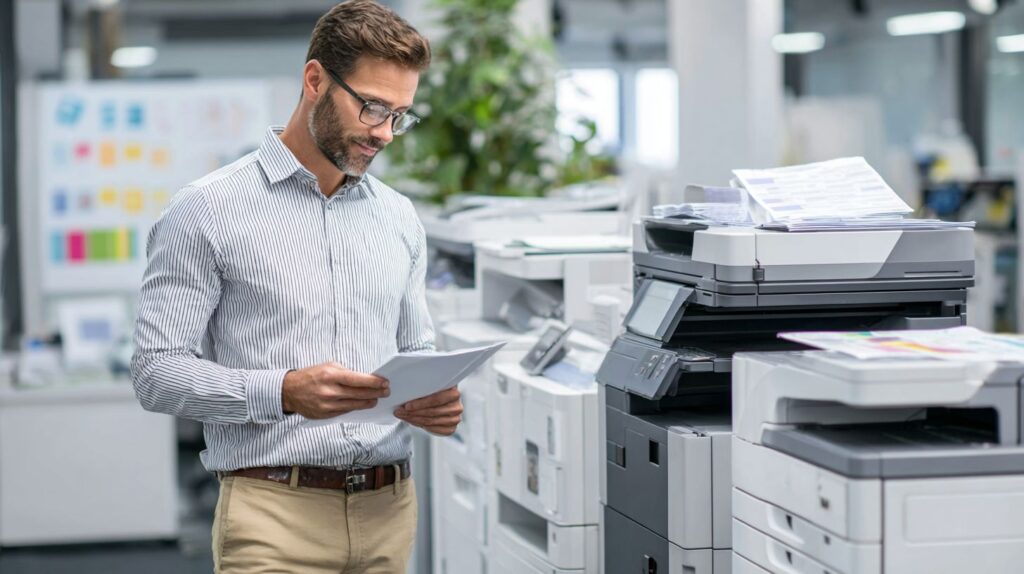
When determining how to choose the right printer or copier for your business needs, start by evaluating your monthly print volume. Small businesses with low output (under 1,000 pages) may suffice with desktop inkjets, while high-volume operations (over 5,000 pages) benefit from robust laser printers or copiers to ensure efficiency and reduce downtime.
What types of printers are best suited for different business sizes in how to choose the right printer or copier for your business needs?
In how to choose the right printer or copier for your business needs, consider your company’s scale: startups might opt for compact multifunction inkjet printers for versatility, medium-sized firms could choose color laser models for professional documents, and large enterprises should invest in high-capacity copiers with network connectivity to handle bulk tasks seamlessly.
How important is connectivity when selecting how to choose the right printer or copier for your business needs?
Connectivity plays a crucial role in how to choose the right printer or copier for your business needs, especially for remote or hybrid teams. Look for devices with Wi-Fi, mobile printing apps, and cloud integration like Google Cloud Print or Apple AirPrint to enable wireless access from multiple devices, boosting productivity across your workspace.
What should I consider about maintenance costs in how to choose the right printer or copier for your business needs?
Total cost of ownership is key in how to choose the right printer or copier for your business needs. Factor in not just upfront prices but ongoing expenses like toner/ink replacements, paper usage, and service contracts. Laser printers often prove more economical long-term for businesses due to lower per-page costs compared to inkjets.
How do multifunction devices fit into how to choose the right printer or copier for your business needs?
Multifunction printers (MFPs) that print, scan, copy, and fax are ideal when learning how to choose the right printer or copier for your business needs, particularly for space-constrained offices. They consolidate functions into one unit, saving money and room while offering features like automatic document feeders for efficient workflow management.
What role does print quality play in how to choose the right printer or copier for your business needs?
Print quality is essential in how to choose the right printer or copier for your business needs, depending on your output requirements. For text-heavy reports, standard resolution (600 dpi) works, but graphic-intensive marketing materials demand higher resolutions (up to 1200 dpi) from color printers to ensure crisp, professional results that represent your brand effectively.