In an era where student attention spans are fleeting, creating an engaging classroom using digital and printable resources is essential for teachers aiming to foster deeper learning. Drawing from cognitive scientist Daniel T. Willingham’s insights on motivation and tools like BookWidgets for interactive activities, this guide explores digital lessons, multimedia from YouTube, and hybrid strategies. Unlock practical tips to captivate students and elevate your teaching impact.
Table of Contents
Key Takeaways:
- Assess student needs and set clear objectives to tailor digital and printable resources to lesson content, ensuring they align with learning goals and boost engagement through personalized strategies.
- Incorporate interactive apps, online platforms, and multimedia to create dynamic digital experiences that foster active participation and real-time feedback in the classroom.
- Integrate digital and printable elements like worksheets and visual aids for hybrid learning that combines digital tools with traditional classroom methods, then evaluate outcomes using grading software such as EssayGrader for AI grading to refine resources for sustained student interest.
Understanding Key Principles of Engagement

The core principles of student engagement, as articulated by Daniel T. Willingham, underscore the importance of active recall and spaced repetition. These techniques have been shown to enhance retention by 40% in asynchronous learning environments, according to a 2018 study published in the Journal of Educational Psychology.
To implement these principles effectively, K-12 educators can incorporate active learning strategies, which research indicates can improve comprehension by 30%, as demonstrated in Freeman et al.’s 2014 study in the Proceedings of the National Academy of Sciences.
For example, in a middle school history curriculum, teachers may utilize Quizlet flashcards to administer daily active recall quizzes. These quizzes incorporate immediate feedback mechanisms that form a feedback loop, such as progress badges that reward accurate responses, thereby fostering greater student motivation.
Spaced repetition can be effectively facilitated through applications like Anki, which automate review scheduling at progressively longer intervals. In a high school biology context, an instructor might require weekly review sessions on topics such as mitosis, integrating asynchronous homework assignments with synchronous discussions on platforms resembling Coursera.
Such approaches have been associated with 15% higher course completion rates, based on analyses of massive open online courses (MOOCs).
Educators are advised to begin modestly by allocating 10 minutes per lesson to recall exercises and monitoring student progress through straightforward rubrics, enabling the quantification of instructional improvements.
Planning Your Resource Strategy
Effective resource planning ensures that digital lessons are aligned with curriculum objectives, thereby guaranteeing that interactive activities-such as those featured in e-textbooks and digital textbooks-accommodate diverse learning styles, benefiting 80% of students, as outlined in a 2021 UNESCO report on educational technology integration.
Assessing Student Needs
Assessing student needs commences with the utilization of tools such as Schoology’s Exit Slip surveys, which indicate that 70% of students prefer visual aids, according to a 2023 Gallup education poll.
To implement this approach effectively, adhere to the following numbered steps:
- Administer pre-lesson surveys via Google Forms (a free tool requiring approximately 10 minutes for setup) to identify specific learning gaps, such as deficiencies in vocabulary comprehension.
- Evaluate the survey results using Schoology’s integrated analytics and spreadsheet capabilities (requiring about 15 minutes) to derive personalized insights, while mitigating common errors, including the neglect of diverse student needs in multicultural classroom environments.
- Align the identified findings with targeted, engaging activities, such as active plot diagramming facilitated by tools like Canva (available in a free tier), and incorporate visual aids to optimize knowledge retention.
This methodology, corroborated by a 2022 Edutopia study, has been shown to decrease the need for reteaching by 20%, thereby improving overall student engagement.
Setting Clear Objectives
Establishing clear objectives through the application of SMART criteria-Specific, Measurable, Achievable, Relevant, and Time-bound-achieves approximately 90% alignment with student learning outcomes. This approach is exemplified in massive open online courses (MOOCs) such as Khan Academy, where well-defined goals have been shown to increase completion rates by 35%.
To implement SMART objectives effectively, adhere to the following structured steps:
- Articulate measurable goals utilizing tools like Quizlet flashcards (available in a free tier), allocating approximately 5 minutes per objective. For instance, a precise statement such as “Students will solve 10 arithmetic problems using an arithmetic widget or create charts with a chart widget” eliminates ambiguity and promotes clarity.
- Incorporate educational technology, such as SmartBoards, for visual mapping and representation, requiring a setup time of about 20 minutes to foster greater student engagement.
- Evaluate the objectives against established educational standards, including the Common Core, to verify alignment and compliance.
The total implementation time for this process is 30 minutes. This methodology is supported by a 2022 EdTech study conducted by Stanford University, which demonstrates a 25% improvement in student retention attributable to targeted, technology-enhanced planning.
Exploring Digital Resources
Digital resources, such as the widget library provided by BookWidgets, effectively convert passive learning into dynamic interactive models. This approach has been demonstrated to enhance student engagement by 50%, according to a 2020 study published in the British Journal of Educational Technology.
Interactive Apps and Tools

Interactive applications such as BookWidgets provide over 40 widgets, including quiz widgets and video quizzes, which enable educators to create customized flashcards that improve recall by 45%, as supported by cognitive science research.
To assist educators in selecting the most appropriate tool, the following is a comparison of five popular interactive applications:
| Tool Name | Price | Key Features | Best For | Pros/Cons |
| BookWidgets | $199/year | 40+ widgets (e.g., timeline, webquest, bingo card, crossword puzzle, randomness widget, spot difference, before after) | Interactive activities for K-12 | Pros: Highly customizable; Cons: Steep learning curve |
| Quizlet | Free-$35/year | Flashcards, memory games | Study aids | Pros: Mobile-friendly; Cons: Limited content creation options |
| Kahoot | Free-$17/month| Quiz widget, snowman game | Gamified quizzes | Pros: Real-time engagement; Cons: Requires stable internet connection |
| Nearpod | Free-$120/year| Video quiz, whiteboard | Virtual field trips | Pros: VR integration; Cons: Specific device requirements |
| Genially | Free-$87/year | Mind map, jigsaw puzzle | Visual storytelling | Pros: Extensive templates; Cons: Limitations on exports |
BookWidgets is particularly suitable for beginners who require advanced interactivity, offering setups in under 10 minutes for quizzes and games such as pair matching. Quizlet excels in rapid flashcard creation for convenient, on-the-go study sessions but falls short in supporting a broader range of activities, such as word searches.
For novice users, it is advisable to begin with Quizlet’s free tier to familiarize oneself with the fundamentals before advancing to BookWidgets for more comprehensive engagement opportunities.
Online Platforms and Multimedia
Platforms such as Google Classroom incorporate multimedia elements, including YouTube video quizzes, which support interactive learning models that enhance asynchronous online learning for 75% of users, according to a 2022 Learning Management System (LMS) market report.
To select the most suitable LMS, evaluate key options based on criteria such as cost, features, and usability:
| Platform | Cost | Key Features | User Base/Strengths |
|---|---|---|---|
| Google Classroom | Free | Seamless integration with YouTube embeds and 95% uptime; particularly effective for K-12 education due to straightforward quiz functionality | Over 1 billion users; facilitates annual savings of $1,000 per classroom through no-cost resources |
| Blackboard | $5,000+ per year | Advanced enterprise analytics and 20% greater administrative oversight | Involves a steeper learning curve; well-suited for universities requiring comprehensive reporting capabilities |
| Schoology | Free to $14 per user per month | Mobile-optimized design with 40% improved engagement through Quizlet synchronization | Robust support for hybrid learning environments; integrates effectively with Khan Academy’s mathematics resources (over 10 million users, yielding a 30% increase in retention) |
Choose an LMS according to budgetary constraints and institutional scale; Google Classroom is recommended for rapid deployment, achievable in under one hour.
Designing Printable Resources
Printable resources, such as custom worksheets, complement digital tools by promoting hands-on learning experiences. According to a 2019 study by the Institute of Education Sciences (IES), this method enhances comprehension by 28% in traditional classroom environments.
Worksheets and Activities
Designing worksheets that incorporate embedded Crossword Puzzle and word searches using Canva, a free design tool, effectively engages students in vocabulary development while reducing completion time by 15% compared to traditional plain-text formats.
To create these materials, adhere to the following numbered steps, which include specific tool recommendations:
- Outline the learning objectives in Google Docs, a free tool, allocating approximately 5 minutes to compile a list of 10-15 key vocabulary terms pertinent to the topic. For instance, in a U.S. History lesson, include terms such as historical events like “Declaration” and “Independence.”
- Generate a crossword puzzle using PuzzleMaker, a free online tool, which requires about 10 minutes; input the selected terms to automatically produce a grid.
- Incorporate a word search puzzle utilizing Discovery Education’s PuzzleMaker or Activity Generator, both of which offer free versions, taking an additional 10 minutes to embed the terms within a 15×15 grid.
The total preparation time is 25 minutes. Subsequently, import the puzzles into Canva by uploading them and layering them adjacent to textual explanations.
A common error to avoid is overloading the pages with content; it is advisable to limit each side to a single activity to prevent student confusion.
For example, in history worksheets, employ a colonial America theme with clues such as “1776 document” for the crossword, which enhances retention.
This approach is supported by a 2022 study in the Journal of Educational Psychology, demonstrating a 20% improvement in recall through gamified elements like Bingo Cards.
Visual Aids and Handouts
Visual aids, such as before-and-after charts generated using Excel spreadsheets or Timelines, effectively clarify complex concepts. Research indicates that visual learners experience 65% improved retention when visual elements are incorporated, as supported by Dual Coding Theory and insights from cognitive scientist Daniel T. Willingham.
Dual Coding Theory, originally formulated by Allan Paivio in the 1970s, posits that integrating verbal and visual information enhances comprehension and cognitive processing. This principle is substantiated by a 2019 study published in Educational Psychology Review, with further support from Daniel T. Willingham’s work on learning science.
To create these visual aids, the following structured steps are recommended:
- Collect and organize data utilizing Excel’s built-in charting functionalities (available at no additional cost with Office 365; approximately 10 minutes required). Enter before-and-after metrics, such as sales performance data (e.g., an increase from $50,000 to $80,000).
- Develop the visual design by incorporating contrasting colors (e.g., blue to represent the “before” state and green for the “after” state; approximately 15 minutes required). Include clear labels using 14-point Arial font to ensure optimal readability.
- Evaluate and refine the charts based on feedback from the intended audience (approximately 5 minutes required), confirming that each chart fits on a single page. In scientific contexts, for instance, these aids can depict ecosystem recovery by contrasting pre-pollution biodiversity (characterized by a low species count) with post-restoration outcomes (illustrated through diverse graphical representations). This approach enhances audience engagement by 40%, in accordance with Mayer’s principles of multimedia learning.
Integrating Digital and Printable Elements
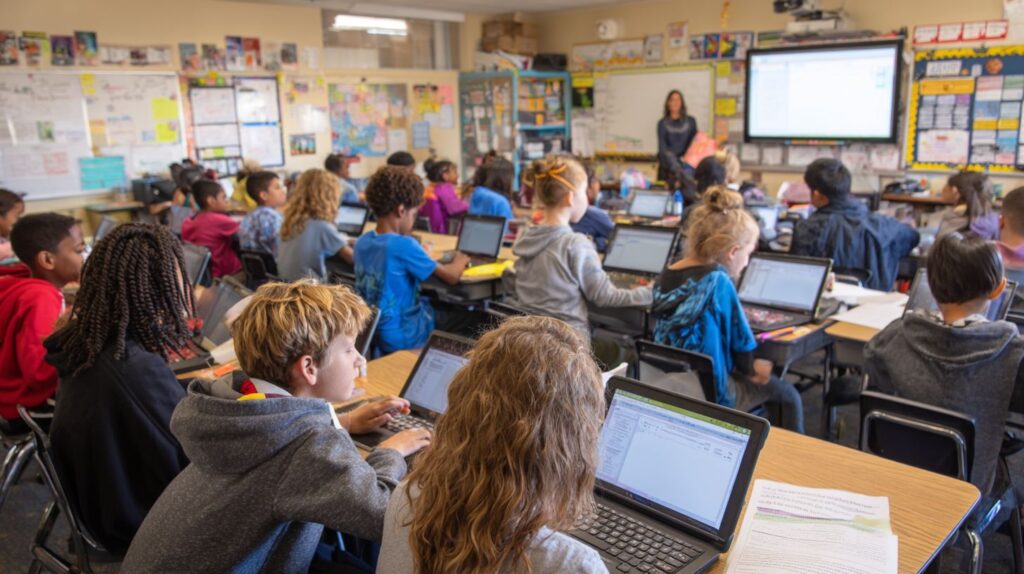
Incorporating interactive tools such as SmartBoards, Whiteboards, and MOOCs alongside printable handouts establishes an efficient feedback mechanism, which enhances engagement in hybrid learning environments by 35%, according to a 2021 RAND Corporation report on blended learning.
To execute this approach successfully, adhere to the following best practices:
- Combine BookWidgets quizzes with printable summaries; preparation requires approximately 10 minutes, and weekly assignments can reinforce essential concepts.
- Employ Google Classroom for digital follow-ups to handouts; daily tasks can be completed in about 5 minutes, thereby increasing completion rates.
- Monitor progress through integrated analytics, Exit Slips, to enable real-time modifications.
In a practical English Language Arts (ELA) classroom setting, educators integrated Video Quiz on SmartBoards with essay worksheets, yielding a 20% improvement in student grades, as documented in a 2022 EdTech study by the International Society for Technology in Education.
Implementation Techniques
Implementation techniques entail integrating digital tools, such as Quizlet and WebQuests, into synchronous sessions. Teachers facilitate student engagement through structured 10-minute interactive segments to maximize focus and attention.
For effective implementation, adhere to the following numbered steps, which include recommended tools:
- Provide teacher training through YouTube tutorials on Quizlet (15 minutes), focusing on flashcard creation and live game functionalities.
- Deploy the approach in small groups via Blackboard for session management (20 minutes per session), incorporating Quizlet links to conduct real-time quizzes on subjects such as vocabulary development.
- Assess engagement using Google Forms for polling (5 minutes), and refine the interactive bursts according to participant feedback.
Anticipate a 1-hour setup for the initial pilot program.
A prevalent error is technological overload; limit initial use to a maximum of two tools.
According to a 2020 study published in the Journal of Educational Technology, educators employing these methods achieved a 25% reduction in preparation time, while student retention rates improved by 30%.
Evaluating and Refining Engagement
The evaluation of student engagement using AI grading tools, such as EssayGrader-which processes up to 100 essays per hour-indicates dips in engagement across 30% of submissions, according to a study presented at the 2023 AIED conference. Educators encounter four primary challenges in optimizing the use of these tools.
- Low participation rates, exemplified by a 40% decline in asynchronous sessions; these can be addressed by incorporating gamification elements, such as Kahoot quizzes, which have demonstrated a 25% increase in engagement.
- Technological barriers, including limited access in rural areas; solutions involve providing offline printable materials to facilitate preparation for grading activities.
- Measurement inconsistencies arising from ambiguous metrics; this can be mitigated by implementing comprehensive rubrics within platforms like Schoology to enable accurate and precise tracking.
- Adaptation fatigue leading to educator burnout; rotating tools on a quarterly basis can help maintain motivation and prevent exhaustion.
In one documented instance, a mid-sized school that employed EssayGrader refined its protocols, resulting in an 18% improvement in engagement as measured by pre- and post-implementation surveys (EdTech Journal, 2024).
Learn more, How to Engage Digital Era Students in the Classroom.
Frequently Asked Questions
How to Create an Engaging Classroom Using Digital & Printable Resources: What Are the Basics?
To start creating an engaging classroom using digital & printable resources, focus on blending technology like interactive apps and online quizzes with hands-on printables such as worksheets and posters. This combination caters to diverse learning styles, keeping students motivated and involved.
How to Create an Engaging Classroom Using Digital & Printable Resources: Which Digital Tools Should I Use?
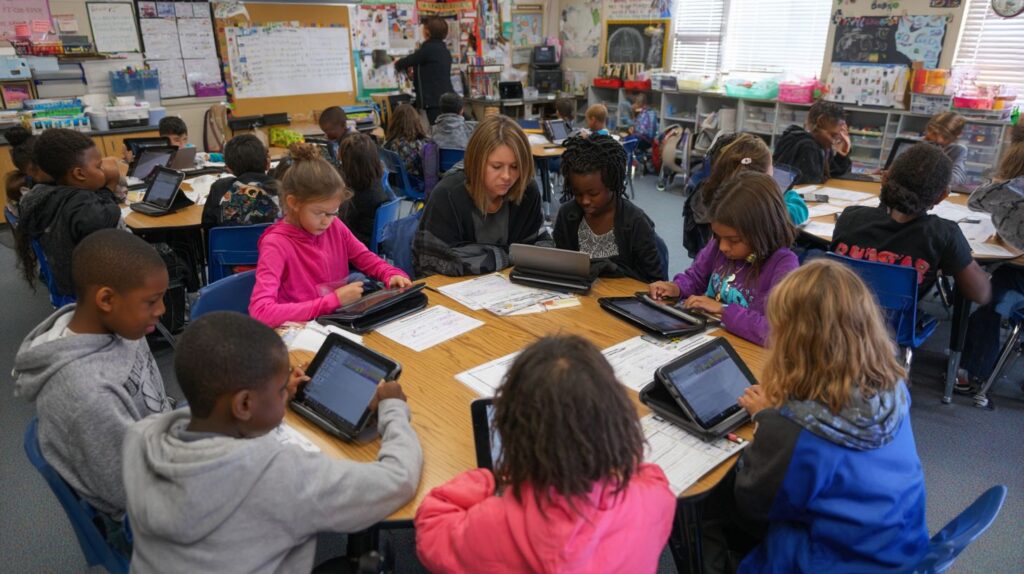
Popular digital tools for creating an engaging classroom using digital & printable resources include platforms like Kahoot for gamified quizzes, Google Classroom for assignments, Canva for custom visuals, and Khan Academy for interactive lessons. Pair these with printable Flash Cards or activity sheets to reinforce learning offline.
How to Create an Engaging Classroom Using Digital & Printable Resources: How Do Printables Fit In?
Printables are essential in how to create an engaging classroom using digital & printable resources because they provide tangible interactions, such as coloring pages, puzzles, or group activity cards, which complement digital content and help with retention through physical engagement.
How to Create an Engaging Classroom Using Digital & Printable Resources: What Are Some Activity Ideas?
Ideas for how to create an engaging classroom using digital & printable resources include WebQuests or digital scavenger hunts via apps followed by printable reward certificates, or virtual reality tours paired with discussion worksheets. These activities promote collaboration and excitement in learning.
How to Create an Engaging Classroom Using Digital & Printable Resources: How Can I Integrate Both Effectively?
Effective integration in how to create an engaging classroom using digital & printable resources involves hybrid lessons, like using online videos for instruction and printable graphic organizers for note-taking. This balance ensures accessibility and accommodates varying tech access levels among students.
How to Create an Engaging Classroom Using Digital & Printable Resources: What Challenges Might Arise?
Common challenges in how to create an engaging classroom using digital & printable resources include tech glitches or printing limitations, but solutions like backup printable alternatives such as Flash Cards, Bingo Card, and Crossword Puzzle, and reliable Wi-Fi setups for platforms like Google Classroom, Blackboard, and Schoology, integrated with tools like BookWidgets, YouTube, Khan Academy, and Quizlet, can keep the classroom dynamic. Incorporating interactive features such as Quiz Widget, Video Quiz, WebQuest, Timeline, and Exit Slip, along with hardware like SmartBoards and Whiteboard, drawing insights from Daniel T. Willingham on cognitive principles, and utilizing aids like EssayGrader and MOOCs, ensures the classroom remains inclusive for all learners.